


CGTN – China Global TV Network
4.3399.00 Reviews
App Specs
- Version
- 6.6.5
- Updated On
- License
- Free
- Downloads
- 10,000,000+
- Developer
- CGTN
- Categories
- News & Magazines
- Platform
- Android, iOS
Screenshots
 Analysis by AppCompare
I’d approach CGTN as a way to add one particular editorial perspective to my daily news mix, rather than as a single app that can settle every question about a developing story. Its combination of news and video gives me more than one way to follow events, while the perspective associated with CGTN is the main reason I’d keep it alongside other sources. That distinction matters: it can broaden what I see, but I still like to compare coverage when a story is important.
What free access means in practice
CGTN is a free news and magazines app from CGTN, and the app’s current version is 6.6.1. The store information describes it as suitable for Everyone, and it has been available since October 29, 2014. For a reader deciding whether it is worth trying, the practical point is straightforward: there is no listed purchase price to get started, so you can judge its coverage and reading style without first committing money.
Free access is useful, but I wouldn’t treat it as proof that the app is the best fit for every reader. Its value depends on whether you want CGTN’s particular take on world news and whether you make use of its mix of articles, video, and live television. If your priority is a roundup assembled from many publishers, a news aggregator may suit you better; if you want one source’s reporting and presentation, this app has a clearer role.
A useful second lens on major stories
I find the strongest reason to add CGTN to a phone is the chance to encounter international coverage through a Chinese perspective. That can be helpful when I’m trying to understand how a story is framed beyond the outlets I usually read. It is not a substitute for checking other reporting, and I would not use any one news source as my only reference for a complicated or contested event. Used as a complementary source, though, a different editorial lens can prompt better questions and reveal which details deserve a closer look.
One practical way to use it is to follow a major story in CGTN, note the claims and context that stand out, then compare those details with coverage from other news outlets. I’d pay particular attention to what each report emphasizes, which voices it includes, and whether the accounts agree on basic facts. This workflow takes more effort than scrolling one feed, but it is more useful when the stakes are high than treating a single perspective as the whole picture.
Making room for reading and viewing
The app’s combination of written stories and video gives me flexibility depending on the moment. If I have a quiet few minutes, an article is easier to scan and revisit; if I want to see a report presented on screen, video is a natural alternative. Live television has a different purpose again: it can help when I want to follow coverage as it unfolds rather than wait for a written summary. These formats make the app more adaptable than a text-only news reader, though watching video is not always convenient in public or on a tight data allowance.
A realistic routine might be to check headlines during breakfast, save one article for a break later, and turn to live coverage at home if a major event is developing. Bookmarks are particularly helpful in that routine because they separate “interesting, but not now” from stories I have already read. I would treat a saved article as a reading queue, not as a permanent archive; when I return to a developing story, I’d check whether newer reporting has changed the picture.
Worth Reading Before You Choose

Baby Panda World Brings Quick Play to Modern Phones, but Its Game Library Feels Busy

ESPN’s Live Game View Makes Following Close Games Easier

QuizzLand Review: A Good Fit for Short Trivia Breaks, Not Every Player

Basketball Stars: Multiplayer Is Fast, but Can It Recover When Matches Go Wrong?

WEBTOON Turns Phone Updates Into a Better Reading Routine

Link to Windows Runs on Shared Habits, Not Social Feeds
Where it sits beside other news apps
Compared with a general-purpose aggregator, CGTN is less about bringing many publishers into one place and more about offering its own news presentation across formats. That makes it a useful addition if you already have a broad news app and want another viewpoint, but a less obvious choice if you want one customizable feed that collects sources you select. Compared with a broadcaster’s video app, its articles make it more useful for quick reading as well as viewing. The trade-off is that its distinct editorial perspective is also a reason to pair it with independent coverage rather than rely on it alone.
I’d also choose the format according to the situation rather than assuming live TV is always the quickest option. A written story is usually easier to skim for a specific detail, while live coverage is better suited to following an event in real time. If I’m commuting or somewhere I can’t listen or watch comfortably, I’d save an article instead of opening a stream. That small choice makes the app easier to fit into an ordinary day and avoids turning every update into a viewing session.
Who is likely to get the most from it
CGTN makes the most sense for readers who actively want international reporting from a Chinese perspective, people who prefer having both articles and video in one place, and anyone who likes to compare how different outlets cover the same event. Its free access lowers the barrier to trying it, but the real payoff comes from using it with intention: follow a subject you care about, save pieces you cannot read immediately, and check significant claims against other sources.
I’d be more cautious about recommending it to someone who wants a neutral-feeling digest without a particular outlet’s viewpoint, or who expects a single app to represent every side of a story. In those cases, an aggregator or a deliberately mixed set of news sources may be a better starting point. Readers who mainly want brief text updates may also prefer a text-first app over opening video or live television. The right choice depends less on the number of formats than on how you actually consume news.
Small habits that improve the experience
To get more from the app, I would use bookmarks selectively instead of saving every headline that catches my eye. A short queue of stories I genuinely plan to read is easier to return to than a long list that becomes another inbox. For a developing topic, I’d also revisit the subject through newer coverage rather than assuming the first saved article remains current. This is a simple way to keep a useful reading habit without confusing saved material with fresh reporting.
I’d reserve live viewing for occasions when seeing coverage as it happens adds something, and use articles when I need to scan, pause, or check a detail. That distinction is especially useful in shared spaces, during a busy workday, or whenever I want to keep my phone use quiet. Video and television can make news feel immediate, but immediacy is not the same as completeness; for context, I still prefer taking time with written coverage and comparing sources.
How established it is, and what that tells me
The app has a 4.3 average from around 27,000 ratings, with roughly 399 written reviews, and it has over 10 million installs. I take that reach as a sign that it is a familiar option for many readers, not as a guarantee that its editorial approach will suit me. Ratings can tell me that people have tried the app, but they cannot decide whether its coverage, formats, or point of view match what I want from a news source.
For the same reason, I’d make my own judgment after using it for the kinds of stories I follow. Does the reporting give me a useful angle? Are articles and video convenient in the situations where I need them? Do I feel better informed after comparing its coverage with other sources? Those questions are more meaningful than popularity alone, particularly for a news app where perspective and context matter as much as ease of use.
If you are choosing between trying CGTN and paying for a news product, the confirmed cost distinction is simple: CGTN is free, while I can’t make a price comparison with other services without knowing their terms. I’d try it for the perspective and formats it offers, then decide whether it fills a real gap in my routine. Free access makes that trial practical; it does not, by itself, make the app more valuable than a paid alternative that better matches your needs.
If you're on the hunt for a comprehensive news app that offers a unique perspective on global events, the CGTN – China Global TV Network app might just be what you need. As someone who loves to stay informed, I decided to give it a spin, and here's what I found.
First Impressions and User Interface
Opening the CGTN app for the first time, I was greeted with a sleek and modern interface. The design is intuitive, making it easy to navigate through various sections. At the bottom, there's a handy navigation bar that lets you quickly jump from news to videos, live TV, and more. It’s clear that a lot of thought has been put into making the app user-friendly, even for those who might not be tech-savvy.
What I particularly liked is how the app isn’t cluttered. You can easily find top stories, and there’s a decent balance between text and images, which makes the reading experience quite pleasant. Strong emphasis is placed on visuals, which is great because, let's be honest, who doesn't love a good photo?
Content and Coverage
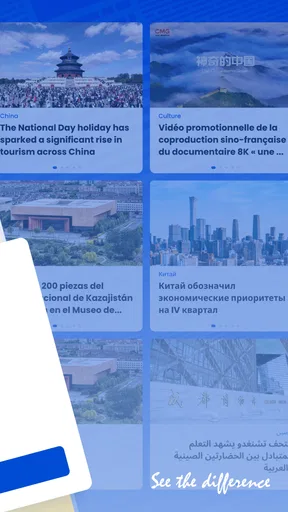
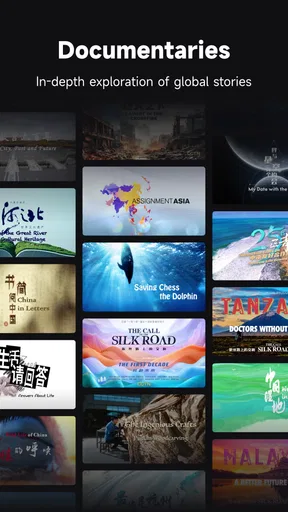
Diving into the content, the app covers a broad range of topics. From politics and economics to culture and technology, there's something for everyone. What sets CGTN apart is its focus on providing a Chinese perspective on global news. This is especially interesting if you're looking to understand world events from different angles.
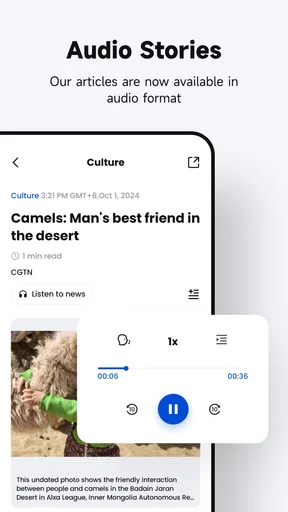
The app features both articles and video content, which is perfect for those moments when you’d rather watch than read. Video quality is top-notch, and the streaming is smooth, even on a standard mobile data connection. I watched a few live broadcasts, and the experience was seamless, with no buffering issues.
Features Worth Highlighting
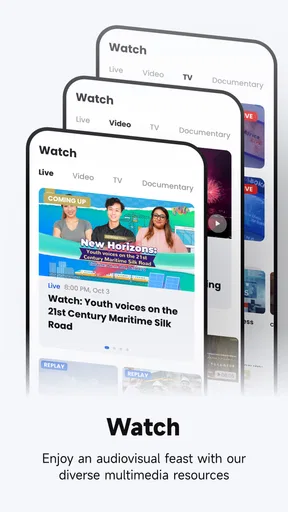
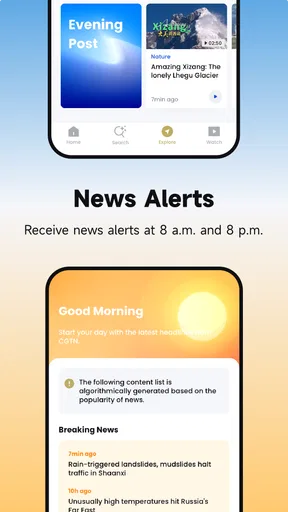
One of the standout features is the app’s live TV option. You can stream CGTN’s TV channels directly from your phone, which is great for catching up on live events or breaking news. The app also offers push notifications, so you’re always in the loop with the latest updates.
Another cool feature is the ability to bookmark articles. If you find something interesting but don't have time to read it right away, just save it for later. It’s a small feature, but one that makes a big difference for someone like me who’s constantly on the go.
Performance and Reliability
Performance-wise, the app runs smoothly on both Android and iOS. I didn’t encounter any crashes or bugs during my time with it, which is always a plus. The developers seem to be on top of updates, ensuring that any minor issues are promptly fixed.
Battery consumption is reasonable, even when streaming video content. I used the app extensively throughout the day, and it didn’t drain my battery any more than other news apps I’ve used. This is important because nobody wants to be tethered to a charger all day!
What I Would Keep in Perspective
For me, the most useful habit is to separate catching up from verifying. I might use the app to discover an international story, then open another trusted outlet to check how the same event is described. This is not a knock against CGTN; it is a sensible way to read any news source, especially when a report involves disputed claims or political context. The app is strongest as one informed voice in a broader reading routine.
Notifications can be useful when a story is moving quickly, but constant alerts can also fragment attention. I’d enable them only if immediate updates matter to me, and otherwise open the app at times I choose. A deliberate check-in makes it easier to read beyond the headline and decide whether a story deserves more time, rather than letting every alert dictate the day’s news rhythm.
Likewise, I would not assume that a live broadcast replaces an article. A stream can show unfolding coverage, while an article is easier to revisit and compare line by line. When I need a quick orientation, a headline and short viewing session may be enough; when I need context for a conversation or decision, I’d slow down and consult more than one account. That difference helps prevent the app’s convenience from becoming overconfidence.
Final Thoughts
So, is the CGTN – China Global TV Network app worth your time? If you're interested in a fresh perspective on global events, I'd say absolutely. The app offers a well-rounded experience with its mix of written and video content, and its user-friendly design makes it a pleasure to use.
Whether you’re a news junkie or just someone who likes to stay informed, this app provides a unique viewpoint that you might not find elsewhere. Plus, with features like live TV and article bookmarking, it’s both versatile and convenient.
In short, give it a try. You might just find it to be your new go-to news source.
Pros
- Comprehensive global news coverage.
- User-friendly interface and navigation.
- High-quality video streaming.
- Diverse range of topics and shows.
- Regularly updated content.
Cons
- Limited interactive features.
- Regional content restrictions.
- Occasional loading delays.
- No offline viewing option.
- Ads can be intrusive.
FAQs for CGTN – China Global TV Network
What is CGTN and what content does it offer?
CGTN, or China Global Television Network, is an international media organization launched by China Central Television (CCTV). It offers a wide range of content, including news, documentaries, and entertainment programs. The app provides real-time news updates, in-depth reports, and live streaming of events, focusing on global stories with a Chinese perspective.
Is the CGTN app free to use?
Yes, the CGTN app is free to download and use. It offers access to a variety of content without any subscription fees. However, users should be aware that the app might include ads, and data charges may apply when streaming videos or accessing content via mobile networks.
What platforms is the CGTN app available on?
The CGTN app is available on both Android and iOS platforms. Users can download it from the Google Play Store for Android devices or the Apple App Store for iOS devices. The app is designed to work seamlessly across smartphones and tablets, ensuring a consistent experience.
Does the CGTN app support multiple languages?
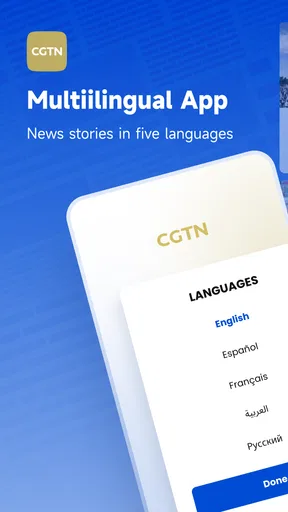
Yes, the CGTN app supports multiple languages to cater to a global audience. It primarily offers content in English, but users can also find news and programs in other major languages like French, Spanish, Arabic, and Russian, depending on the region and content availability.
How does CGTN ensure content accuracy and reliability?
CGTN emphasizes delivering accurate and reliable news by adhering to journalistic standards. The network employs professional journalists and collaborates with global media partners to provide comprehensive and balanced reporting. However, users are encouraged to consume content critically and explore multiple sources for a well-rounded view.


